
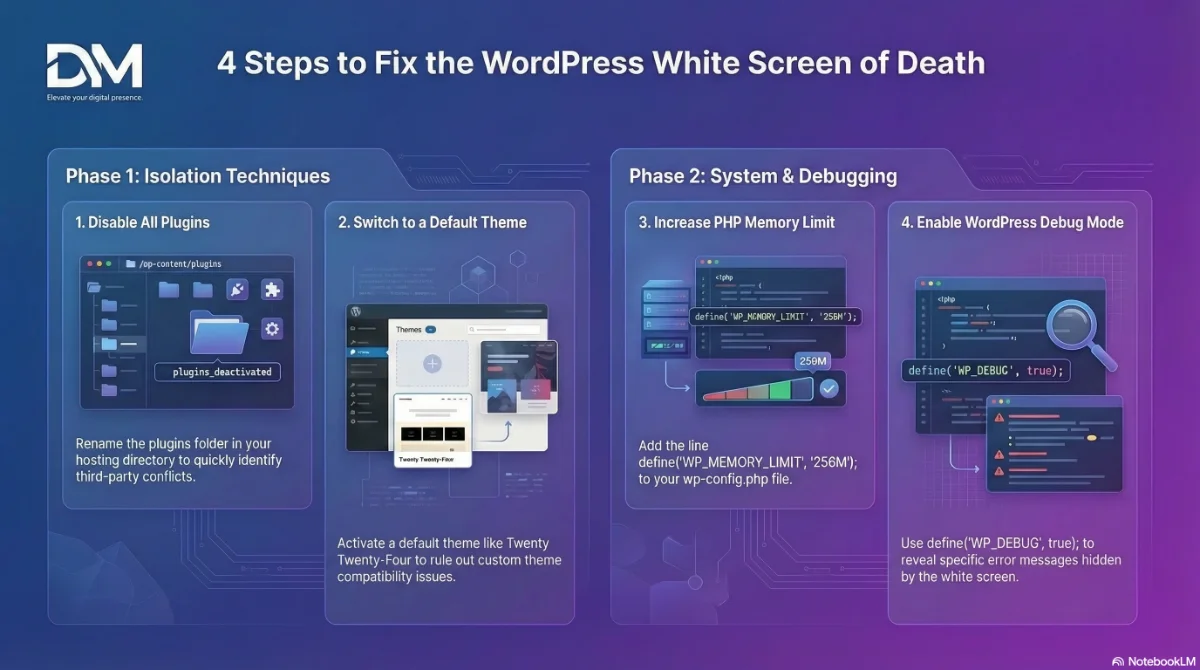
If your website suddenly shows a completely blank page, you're likely experiencing the WordPress White Screen of Death. This error can appear on the entire site or only in certain areas such as the admin dashboard.
While the issue can look alarming, it is usually caused by a plugin conflict, theme error, or memory limit problem. The good news is that most WordPress white screen errors can be fixed with a few troubleshooting steps.
What Is the WordPress White Screen of Death?
The WordPress White Screen of Death occurs when a PHP error prevents the page from rendering correctly. Instead of displaying an error message, WordPress simply shows a blank white screen.
This usually happens due to:
- Plugin conflicts
- Theme compatibility issues
- PHP memory limits
- Server configuration errors
- Corrupted WordPress files
How to Fix the WordPress White Screen of Death
1. Disable All Plugins
Plugin conflicts are the most common cause of this error. If you can access the WordPress admin dashboard, deactivate all plugins and reactivate them one at a time until you find the plugin causing the issue.
If you cannot access the dashboard, you can disable plugins through your hosting file manager by renaming the plugins folder inside the /wp-content/ directory.
2. Switch to a Default WordPress Theme
If a theme is causing the problem, switching to a default theme such as Twenty Twenty-Four can help identify the issue.
You can change themes through the WordPress admin dashboard or rename the theme folder through your hosting file manager.
3. Increase PHP Memory Limit
Sometimes the error occurs because WordPress runs out of memory. Increasing the PHP memory limit may resolve the issue.
define('WP_MEMORY_LIMIT', '256M');This line can be added to your wp-config.php file.
4. Enable WordPress Debug Mode
If the problem persists, enabling WordPress debug mode can help identify the specific error.
define('WP_DEBUG', true);
define('WP_DEBUG_LOG', true);
define('WP_DEBUG_DISPLAY', true);
This will reveal the error message causing the white screen.
When You Should Get Professional Help
If troubleshooting steps do not resolve the issue, the problem may involve deeper server configuration, corrupted files, or database errors.
In those situations, it may be faster to get professional help from a developer who can diagnose and repair the issue safely.
Frequently Asked Questions
What causes the WordPress White Screen of Death?
The WordPress White Screen of Death is typically caused by plugin conflicts, theme errors, PHP memory limits, or server configuration issues that prevent WordPress from rendering a page.
How do I fix a blank WordPress page?
To fix a blank WordPress page, disable plugins, switch themes, increase memory limits, and enable debug mode to identify errors.